
A Founder's Guide to Twitter Message Requests: Turn DMs into Sales
Discover message requests twitter strategies to turn DMs into qualified leads and real sales.
Ever noticed that little "Message requests" folder in your Twitter DMs? Most people ignore it, treating it like a spam folder for messages from people they don't follow. But for founders trying to scale, that’s a huge mistake.
This isn’t just a junk drawer. It's an unfiltered pipeline of potential customers, partners, and collaborators reaching out to you directly. This is where the magic happens.
Your Hidden Goldmine of Inbound Leads
I get it. Another inbox to manage feels like a chore, and it’s often full of noise. But what if you started seeing it differently? Think of it as a pre-qualified lead list, a direct line from people who are already interested enough to start a conversation with you.
This isn't about adding one more task to your plate. It's about capitalizing on warm opportunities. Someone who takes the time to find your profile and send a DM has already shown serious intent. They’re actively seeking you out.
Adopting this mindset is crucial for growth. Every request is a potential conversation, and every conversation can become a valuable relationship. This is where you'll find raw feedback, unexpected partnership offers, and sometimes, your next big client.
The Power of the DM
The numbers back this up. Direct message campaigns on Twitter get 300% more clicks than old-school email campaigns. That’s a massive difference. While you're lucky if a cold email gets a reply, a well-timed DM feels personal and urgent, cutting straight through the noise.
Of course, a strong first impression starts with your profile. A clear, compelling bio is your first filter, dramatically improving the quality of the DMs you receive. If your bio could use a tune-up, our guide on writing a [https://www.dmpro.ai/blog/good-twitter-bio] has some solid examples.
The new X logo has quickly become a symbol for this powerful, direct communication channel.

When you see that logo, think of it as a direct line to countless prospects. Treating your message requests as a strategic asset flips your approach from reactive to proactive. To see how this fits into a bigger picture, check out this ultimate guide to lead generation from social media for a broader strategic framework.
Email Outreach vs Twitter DM Requests
It's clear why savvy founders are shifting their focus from cold emails to warm DMs. A quick comparison shows the difference.
| Metric | Traditional Email | Twitter DM Requests |
|---|---|---|
| Response Rate | Very low (1-5% on average) | High (Often 30%+) |
| Personalization | Often feels generic or automated | Feels personal and direct |
| Competition | Extremely high (everyone's inbox is flooded) | Much lower (a less saturated channel) |
| Barrier to Entry | Finding a verified email is a hassle | Public profiles make it easy to reach out |
| Context | Lacks social context | You can see their profile, posts, and interests |
Ultimately, DMs allow for a much more human-to-human connection right from the start.
"The difference between a junk folder and a lead pipeline is your process. By systemizing how you review and respond to message requests, you turn a passive feature into an active growth engine."
This isn't just about replying to messages as they come in. It's about building a scalable system for outreach that begins with these inbound signals. For founders trying to scale their SaaS distribution, automating parts of this process with a tool like DMpro can turn this trickle of leads into a predictable flood.
Finding and Managing Your Message Requests
So, you're convinced that your message requests are more than just a junk folder. Fantastic. Now, let's get into the practical side of things—actually finding them and managing the incoming messages without it turning into a time-suck.
First, it’s all about a mental shift. You need to stop seeing this inbox as a chore and start viewing it as a potential goldmine.
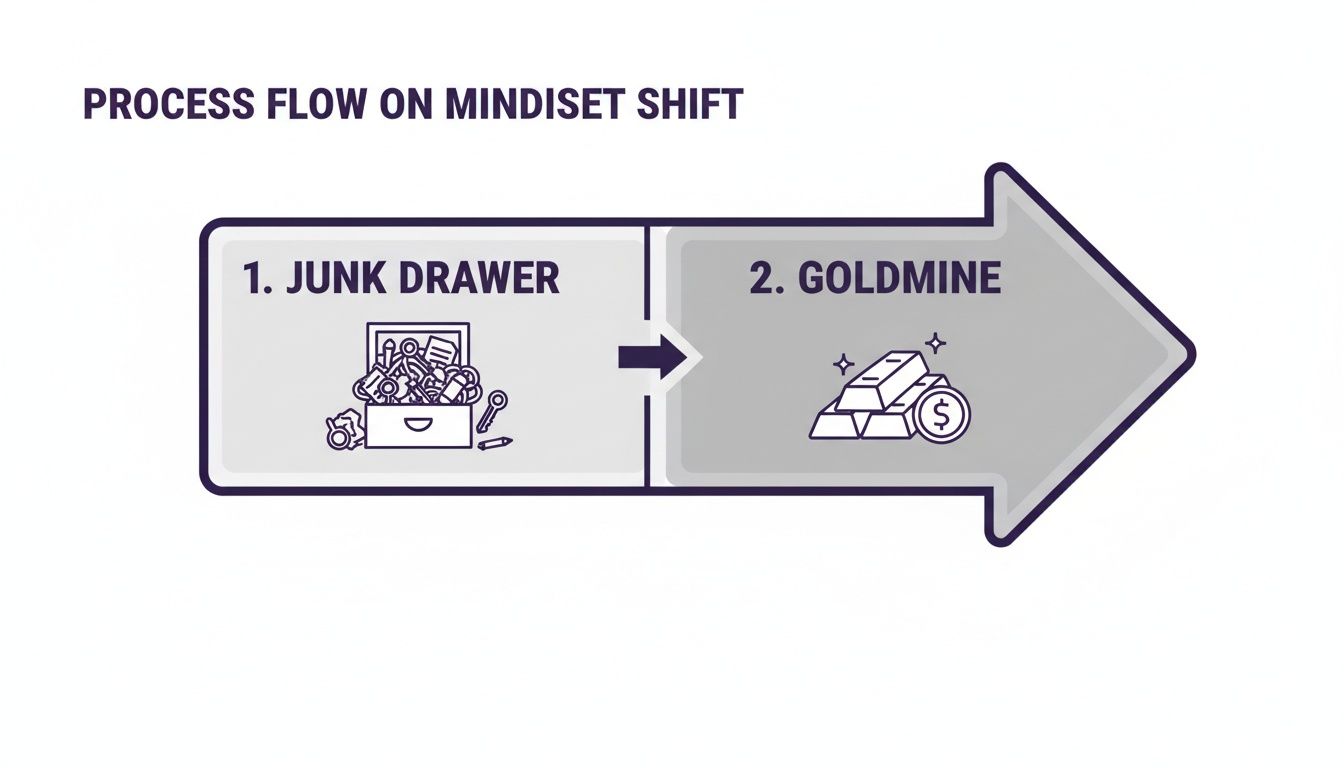
Think about it: every request in there is from someone who took the initiative to reach out directly to you. That alone makes it worth your time.
How to Find Your Requests on Any Device
The exact steps vary slightly between your computer and phone, but the starting point is always your main "Messages" tab.
On Desktop (The Web Version)
When you're on the Twitter (now X) website, look at the navigation menu on the left. Click the Messages tab—the one with the envelope icon. Right at the top of your inbox, you’ll see a tab labeled Message requests. Click that, and you're in.
On Mobile (iOS & Android)
It's just as straightforward on the app. Tap the envelope icon in the bottom navigation bar to open your DMs. At the top of your conversation list, you'll find the Message requests link. Tap it, and you’ll see all the DMs from people you don't follow.
It’s really that simple. I recommend making this a quick, two-minute check-in part of your daily routine.
The Art of Inbox Triage
Once you’re looking at your requests, you have two simple choices for each message: Accept or Delete. This is your first line of defense in separating valuable connections from spam.
- Accepting a message moves the conversation over to your primary inbox, lets you reply, and shows the sender you've seen their message.
- Deleting gets rid of the message for good. The sender never knows you deleted it, which is perfect for clearing out spam or irrelevant pitches without any awkwardness.
Here’s a founder-to-founder tip: Before you hit accept, tap on the sender's profile picture. This lets you quickly vet their profile—check their bio, see what they post—to decide if they’re a genuine lead. It’s a great, no-commitment way to qualify people before you even reply.
Managing your inbox is only half the battle. If you're doing outreach yourself, you want to make sure your messages land in their main inbox. For some great tips on that, take a look at our guide on how to send a DM on Twitter the right way.
Turning Cold Requests into Warm Leads

When a message request lands in your inbox, accepting it is just the first step. The real work—and the real opportunity—starts with your very first reply. This is your chance to pivot a cold message into a warm, value-driven conversation.
Before you even think about what to write, take 30 seconds to vet the sender's profile. A quick look at their bio and recent posts can tell you almost everything you need to know. Are they in your target market? A potential partner? Or just sending spam?
This little bit of homework is crucial. Your time is your most valuable asset, so don't waste it on dead-end conversations. Focus your energy on the conversations that actually show promise.
Crafting the Perfect First Reply
Once you've decided a request is worth your time, your opening line can make or break the entire interaction. Avoid sounding like a bot. The goal is to build rapport and start a genuine discussion, not shove a sales pitch down their throat.
Here are a few simple ways I handle different types of incoming DMs:
- The Vague "Hey" Message: Don't ignore these. Flip it back on them with something friendly but direct, like, "Hey [Name], thanks for reaching out. What can I help you with?" This politely puts the ball back in their court.
- The Legitimate Inquiry: If someone asks a real question, give them a real answer. But don't stop there. Keep the conversation going by ending with an open-ended question of your own. For example: "Great question! The answer is X. I'm curious, what prompted you to ask about that?"
- The Partnership Offer: Acknowledge their interest and steer the conversation to a more professional channel. I usually say something like, "Appreciate you thinking of us. Happy to chat more—could you send the details over to [your email]?"
This shift to using DMs for business isn't just a hunch; the numbers back it up. A staggering 64% of Twitter users now prefer to DM a business for support rather than call them. Mastering your DMs is no longer optional.
The key is to respond like a human, not a sales script. Show genuine curiosity, ask thoughtful questions, and focus on providing value before you ever ask for anything.
Once you start getting replies, it's a good idea to understand what defines a warm lead and strategies for converting them. This will help you figure out which conversations are worth pursuing. Your message requests are a goldmine of opportunity. Each one is an invitation to a conversation that could lead to a new client or a valuable partnership.
Scaling Your Outreach Beyond Inbound DMs
<iframe width="100%" style="aspect-ratio: 16 / 9;" src="https://www.youtube.com/embed/-LtGmHnpioI" frameborder="0" allow="autoplay; encrypted-media" allowfullscreen></iframe>Handling inbound message requests on Twitter is great, but it's reactive. You're fielding interest from people who are already knocking on your door. If you want real, predictable growth for your SaaS, you have to start playing offense.
Once you have a system for managing your inbound messages, the next logical move is to start conversations yourself. This is the shift from passively waiting for leads to actively generating them. It’s the difference between waiting for the phone to ring and actually picking it up.
This isn't about spamming. The goal is to build carefully targeted lists of potential customers and write opening DMs that are so personal and relevant they land straight in their main inbox, bypassing the request folder entirely.
Building Your Prospect List
Before you send a single DM, you have to know exactly who you're talking to. A "spray and pray" approach is a waste of time and a fast track to getting your account flagged. You need to be surgical.
From my experience, the best way to do this is to look for buying signals directly on Twitter. Here are a few goldmines I always check first:
- Competitor's Followers: Find accounts similar to yours and see who follows them. These people have already raised their hands to say they're interested in your niche.
- Keyword Searches: Dive into Twitter's advanced search. Look for people actively talking about the problems you solve. Think phrases like, "anyone know a tool for..." or "looking for a solution to..."
- Engagement on Key Accounts: Pinpoint the big names in your space. The folks engaging with their content—asking smart questions or leaving insightful comments—are often your ideal prospects.
This homework is non-negotiable. A well-researched list of 100 prospects is worth infinitely more than a generic list of 10,000.
Crafting a Non-Spammy Opening DM
Your first sentence is everything. It's the difference between getting a reply and getting ignored. The trick is to make it about them, not you. A little genuine personalization goes a long way.
Forget the generic pitch. Instead, reference something specific you saw on their profile. Maybe you noticed you both attended the same online event, or you liked an article they shared.
Here’s a simple framework I've seen work time and again: Observation + Value + Question.
- Observation: "Hey [Name], I saw your post asking about scaling outreach..."
- Value: "...we actually just put together a case study on how a similar company doubled their pipeline..."
- Question: "...thought you might find it helpful. Mind if I send it over?"
This strategy shows you’ve paid attention and immediately positions you as a helpful resource, not just another salesperson.
For founders who don't have hours to spend sending manual DMs, this is where automation becomes your best friend. A tool like DMpro.ai can take your targeted list and handle this personalized outreach at scale. It sends messages that feel one-to-one, freeing you up to focus on the warm conversations that come back.
This is how you turn Twitter into a scalable distribution channel—by blending smart targeting, authentic outreach, and the right tools to do the heavy lifting.
Optimizing Your DM Settings for Success and Safety

Getting your Twitter DM settings right is a balancing act. If you lock them down too tightly, you might miss out on a game-changing lead. But if you leave the floodgates wide open, you’ll spend your days wading through spam. The goal is to find that sweet spot where message requests on Twitter become a powerful tool for growth.
Your most important choice is deciding who can slide into your DMs. You can tweak this by going to Settings > Privacy and safety > Direct Messages. For most founders, it boils down to two options: allowing DMs from "Everyone" or limiting them to "Verified users."
My two cents? Start with "Everyone." I know, it sounds like you're inviting chaos, but you're also casting the widest possible net. That next big client might not have a blue checkmark, and you don’t want a simple setting to block that conversation before it starts. You can always switch to a more restrictive setting later if spam gets out of hand.
Filtering Out the Noise
Even with your DMs open to everyone, you’re not completely exposed. Twitter has a built-in "Quality filter" that automatically shunts low-quality messages into a separate folder. It’s not perfect, but it catches a surprising amount of junk. Make sure this is enabled.
Think of the filter as your first line of defense, giving you a cleaner space to engage with legitimate prospects. But ultimately, you still need to be smart about what you handle.
Founder-to-founder tip: Be incredibly skeptical of links. Never click on a suspicious link in a DM, even if the account looks legit. Phishing scams are rampant. If you get an unexpected link, just delete the message and report the account. It's not worth the risk.
Here's why this matters so much: Twitter DMs generate a click rate 300% higher than email. They feel immediate and personal. With 85% of small businesses using the platform to connect with customers, keeping your inbox clean is crucial. You can dig into how users engage with brands on Twitter in this Backlinko report.
Automation and Staying Safe
As you scale your own outreach, you also have to consider safety from the sender's perspective. Firing off too many messages too fast is a surefire way to get your account flagged. This is where smart automation can save you a lot of headaches.
A tool like DMpro.ai is built for this. It can manage your outreach by rotating messages across multiple accounts and, most importantly, respecting the platform's limits. It’s a way to automate your outreach workflow while adding a layer of protection that’s tough to replicate manually.
Of course, a huge part of staying safe is knowing the rules. To get a handle on the platform's sending limits and best practices, check out our guide on the official Twitter direct message limit. Knowing the boundaries is the first step to playing the game well—and safely.
Founders' Most Common Questions
Once you start treating your Twitter DMs as a serious channel for lead gen, you'll inevitably run into the same questions I did. Let's get these sorted out now so you can focus on building relationships.
"If I Accept This, Will I Get Spammed?"
This is probably the #1 concern I hear. The fear is real: you accept one message, and suddenly your inbox is flooded with junk.
Relax. Accepting a request just moves the chat into your main inbox. It doesn't give them any special access to your account. If the conversation starts feeling spammy, don't hesitate to use Twitter's block and report features. They're your best defense.
"How Can I Spot a Real Prospect from a Bot?"
This leads right into the next big question: how do you tell the difference between a genuine lead and another automated message? It all comes down to a quick, 15-second profile scan.
I have a mental checklist I run through before accepting anything:
- The Bio: Does it actually say what they do? A real person, especially a professional, will almost always have a clear bio.
- Tweet History: Have they posted recently? Is it relevant to your industry or just a stream of crypto spam? An active, on-topic profile is a massive green flag.
- Mutuals: Who else do they follow? If you share connections with others in your field, that's a great sign of legitimacy.
If a profile is brand new with zero tweets, has a generic avatar, or is full of shady-looking links, it's an immediate delete. A real person's profile tells a story.
"Your ability to quickly separate signal from noise in your message requests is a superpower. A 15-second profile scan can save you 15 minutes in a pointless conversation."
"What's the Best First Reply?"
Okay, you've accepted the request. Now what? You want to engage, but you don't want to come across as a pushy salesperson.
My advice is to keep it simple and direct. I usually go with something that acknowledges their message and then gently puts the ball back in their court. A simple, "Hey [Name], thanks for reaching out. What's on your mind?" works wonders.
It’s friendly, it’s not aggressive, and it immediately frames the conversation around their needs, which is exactly where you want it.
If you’re tired of manually sending DMs every day, try DMpro.ai — it automates outreach and replies while you sleep.
Ready to Automate Your Twitter Outreach?
Start sending personalized DMs at scale and grow your business on autopilot.
Get Started Free